



Django ships with its own file upload handling, but the moment you need a CDN, image transformations, virus scanning, or uploads from sources like Google Drive and Instagram, you start writing infrastructure instead of features. Filestack handles that layer for you, and the official Python SDK gives Django a clean path to it.
There is no django-filestack package on PyPI maintained by Filestack, so this guide walks through the pattern that production Django teams use: a thin service wrapper around filestack-python, a custom storage class, and signed URLs for private files.
Every code block here runs against the real SDK. If you copy the steps in order, you will have working uploads, transformations, signed downloads, and webhook verification by the end.
Key takeaways
- Filestack does not ship a Django-specific package, but the official filestack-python SDK works inside any Django view, form, or model
- The file_obj parameter on client.upload() accepts Django’s InMemoryUploadedFile and TemporaryUploadedFile directly, so no temp files on disk
- A custom storage backend lets you swap default_storage to Filestack with a one-line settings change
- Security policies sign every download URL with an expiry, which is how you keep private files private
- Webhook verification belongs in a CSRF-exempt view that reads raw request bytes, not parsed JSON
Before you start
You need:
- Python 3.7 or higher
- Django 4.x or 5.x
- A Filestack account for your API key and app secret
- Familiarity with Django views, forms, and settings
Grab your API key and app secret from the Filestack developer portal. The API key is safe to expose client-side. The app secret is server-only and signs your security policies.
Step 1: Install and configure
Install the SDK alongside Django:
pip install filestack-python django
Add your credentials to settings. Read them from environment variables, never hardcode them.
# settings.py

import os

FILESTACK_API_KEY = os.environ["FILESTACK_API_KEY"]

FILESTACK_APP_SECRET = os.environ["FILESTACK_APP_SECRET"]

FILESTACK_WEBHOOK_SECRET = os.environ.get("FILESTACK_WEBHOOK_SECRET", "")

Set those in your shell or .env file:

export FILESTACK_API_KEY=Axxxxxxxxxxxxxxxxxxxxx

export FILESTACK_APP_SECRET=your-app-secret-here
Step 2: Build the service wrapper
Putting SDK calls directly in views couples your business logic to Filestack. A small service module keeps things testable and lets you swap providers later if you ever need to.
Create myapp/services/filestack_service.py:
# myapp/services/filestack_service.py

from django.conf import settings

from filestack import Client, Filelink, Security

def _build_client(with_security=False):

    """Return a Filestack Client, optionally with a signing policy attached."""

    if with_security:

        # 1 hour expiry; tune per your use case

        import time

        policy = {

            "expiry": int(time.time()) + 3600,

            "call": ["pick", "read", "store", "remove", "convert"],

        }

        security = Security(policy, settings.FILESTACK_APP_SECRET)

        return Client(settings.FILESTACK_API_KEY, security=security)

    return Client(settings.FILESTACK_API_KEY)

def upload_django_file(django_file, store_params=None):

    """

    Upload a Django UploadedFile (InMemoryUploadedFile or TemporaryUploadedFile)

    to Filestack and return the Filelink.

    """

    client = _build_client(with_security=True)

    params = store_params or {}

    # Carry across the original filename and mimetype if Django parsed them

    if django_file.name and "filename" not in params:

        params["filename"] = django_file.name

    if getattr(django_file, "content_type", None) and "mimetype" not in params:

        params["mimetype"] = django_file.content_type

    return client.upload(file_obj=django_file, store_params=params)

def signed_url_for(handle, expiry_seconds=3600):

    """Return a time-limited signed CDN URL for a file handle."""

    import time

    policy = {

        "expiry": int(time.time()) + expiry_seconds,

        "handle": handle,

        "call": ["read", "convert"],

    }

    security = Security(policy, settings.FILESTACK_APP_SECRET)

    filelink = Filelink(handle, security=security)

    return filelink.signed_url()

def delete_handle(handle):

    """Delete an uploaded file by its handle."""

    client = _build_client(with_security=True)

    filelink = Filelink(handle, apikey=settings.FILESTACK_API_KEY, security=client.security)

    filelink.delete()
Two things to note. First, file_obj accepts any file-like object that supports .read(), which Django’s UploadedFile does. No need to call .save() to disk first. Second, Security policies are how Filestack enforces access. Set expiry short, scope call to the actions you need, and pin to a specific handle when you can.
Step 3: Wire up a Django view
Build an upload view. This example uses Django’s built-in form handling, but the same pattern works with DRF serializers, class-based views, or HTMX endpoints.
# myapp/forms.py

from django import forms

class UploadForm(forms.Form):

    file = forms.FileField()

# myapp/views.py

from django.http import JsonResponse

from django.views.decorators.http import require_http_methods

from django.views.decorators.csrf import csrf_protect

from .forms import UploadForm

from .models import Document

from .services import filestack_service

@require_http_methods(["POST"])

@csrf_protect

def upload_document(request):

    form = UploadForm(request.POST, request.FILES)

    if not form.is_valid():

        return JsonResponse({"errors": form.errors}, status=400)

    uploaded = form.cleaned_data["file"]

    filelink = filestack_service.upload_django_file(

        uploaded,

        store_params={"path": f"user-uploads/{request.user.id}/"},

    )

    doc = Document.objects.create(

        owner=request.user,

        filestack_handle=filelink.handle,

        filestack_url=filelink.url,

        original_name=uploaded.name,

        size_bytes=uploaded.size,

    )

    return JsonResponse({

        "id": doc.id,

        "handle": filelink.handle,

        "url": filelink.url,

    })

And the model that stores the handle:

# myapp/models.py

from django.conf import settings

from django.db import models

class Document(models.Model):

    owner = models.ForeignKey(settings.AUTH_USER_MODEL, on_delete=models.CASCADE)

    filestack_handle = models.CharField(max_length=64, unique=True)

    filestack_url = models.URLField()

    original_name = models.CharField(max_length=255)

    size_bytes = models.PositiveBigIntegerField()

    created_at = models.DateTimeField(auto_now_add=True)
Storing the handle matters more than storing the URL. The handle is the stable identifier you use to generate fresh signed URLs, run transformations, or delete the file later. The URL is just convenience.
Step 4: Serve files with signed URLs
For public files, filelink.url is enough. For anything private (user documents, paid content, internal media), generate signed URLs with short expiries on demand.
# myapp/views.py

from django.contrib.auth.decorators import login_required

from django.http import HttpResponseForbidden, JsonResponse

from django.shortcuts import get_object_or_404

from .models import Document

from .services import filestack_service

@login_required

def document_download_url(request, doc_id):

    doc = get_object_or_404(Document, pk=doc_id)

    if doc.owner_id != request.user.id:

        return HttpResponseForbidden()

    url = filestack_service.signed_url_for(doc.filestack_handle, expiry_seconds=300)

    return JsonResponse({"url": url})
The frontend calls this endpoint, gets a five-minute URL, and either redirects or fetches the file. The URL stops working after the expiry, so leaked links go stale fast.
Step 5: Apply transformations on the fly
Filestack transformations happen at delivery time. Chain them on a Filelink and store the new URL or use it directly.
# myapp/services/filestack_service.py (continued)

def thumbnail_url(handle, width=200, height=200):

    """Build a transformation URL that resizes and crops to a thumbnail."""

    client = _build_client(with_security=True)

    filelink = Filelink(handle, apikey=settings.FILESTACK_API_KEY, security=client.security)

    transform = filelink.resize(width=width, height=height, fit="crop").enhance()

    return transform.url

Use it in a template tag or serializer:

# myapp/templatetags/filestack_tags.py

from django import template

from myapp.services import filestack_service

register = template.Library()

@register.simple_tag

def fs_thumbnail(handle, width=200, height=200):

    return filestack_service.thumbnail_url(handle, width, height)

{% load filestack_tags %}

<img src="{% fs_thumbnail document.filestack_handle 400 400 %}" alt="{{ document.original_name }}">
The transformation runs on Filestack’s processing engine and the result gets cached on the CDN. Your Django server never touches the bytes.
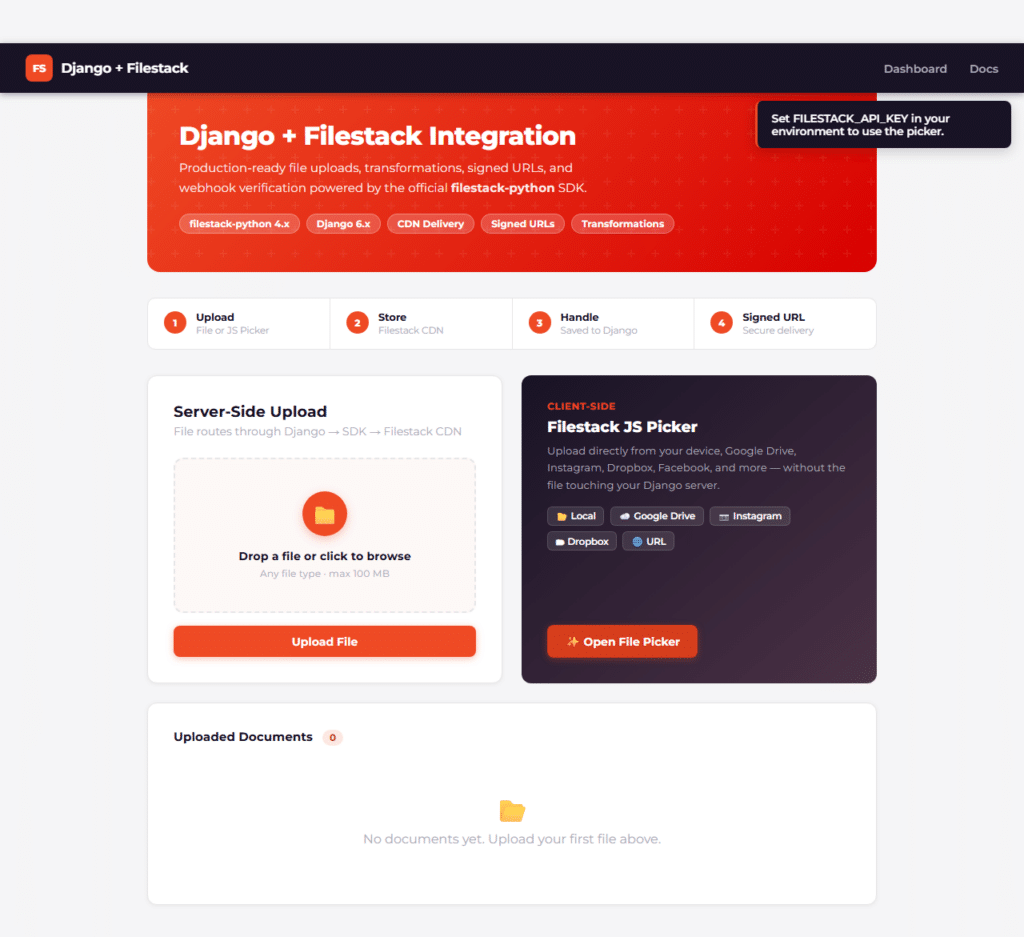

Step 6: Build a custom storage backend (optional)
If you want default_storage and FileField to write to Filestack automatically, wrap the SDK in a Django storage class. This is the closest thing to “native Django support.”
# myapp/storage.py

import time

from django.conf import settings

from django.core.files.storage import Storage

from django.utils.deconstruct import deconstructible

from filestack import Client, Filelink, Security

@deconstructible

class FilestackStorage(Storage):

    def __init__(self):

        policy = {

            "expiry": int(time.time()) + 3600,

            "call": ["pick", "read", "store", "remove"],

        }

        self._security = Security(policy, settings.FILESTACK_APP_SECRET)

        self._client = Client(settings.FILESTACK_API_KEY, security=self._security)

    def _save(self, name, content):

        # Django passes a File object with .read(); upload_django_file pattern applies

        store_params = {"filename": name}

        filelink = self._client.upload(file_obj=content, store_params=store_params)

        # Return the handle as the "name" Django stores in the FileField

        return filelink.handle

    def url(self, name):

        # name is the Filestack handle

        filelink = Filelink(name, apikey=settings.FILESTACK_API_KEY, security=self._security)

        return filelink.signed_url()

    def exists(self, name):

        # Filestack handles are unique per upload; treat new uploads as not-existing

        return False

    def delete(self, name):

        filelink = Filelink(name, apikey=settings.FILESTACK_API_KEY, security=self._security)

        filelink.delete()

Point Django at it:

# settings.py

STORAGES = {

    "default": {"BACKEND": "myapp.storage.FilestackStorage"},

    "staticfiles": {"BACKEND": "django.contrib.staticfiles.storage.StaticFilesStorage"},

}
Now any FileField or ImageField you define writes to Filestack and reads back signed URLs:
class Avatar(models.Model):

    user = models.OneToOneField(settings.AUTH_USER_MODEL, on_delete=models.CASCADE)

    image = models.ImageField()  # stored on Filestack via FilestackStorage
A few caveats on this approach. Django expects storage backends to handle names predictably, and Filestack handles are opaque. exists() returning False works for most cases but breaks any code that relies on collision detection. If you need a more complete backend, add a local mapping table or extend the class with your own naming scheme.
Step 7: Verify Filestack webhooks
When you configure webhooks in the Filestack dashboard for events like upload completion or workflow finish, Filestack signs each request. Your Django endpoint must verify the signature against the raw body.
# myapp/views.py

import json

from django.conf import settings

from django.http import HttpResponse, HttpResponseBadRequest

from django.views.decorators.csrf import csrf_exempt

from django.views.decorators.http import require_http_methods

from filestack.helpers import verify_webhook_signature

@csrf_exempt

@require_http_methods(["POST"])

def filestack_webhook(request):

    raw_body = request.body  # must be raw bytes, not parsed JSON

    headers = {

        "FS-Signature": request.headers.get("FS-Signature", ""),

        "FS-Timestamp": request.headers.get("FS-Timestamp", ""),

    }

    valid, details = verify_webhook_signature(

        settings.FILESTACK_WEBHOOK_SECRET,

        raw_body,

        headers,

    )

    if not valid:

        return HttpResponseBadRequest(f"Invalid signature: {details.get('error')}")

    payload = json.loads(raw_body)

    # Handle the event, e.g. fp.upload, fp.video_complete, fp.workflow

    action = payload.get("action")

    # ... your business logic here

    return HttpResponse("ok")
Register the route in urls.py and add the URL to your webhook configuration in the Filestack dashboard. Two requirements that trip people up: the view must be csrf_exempt because Filestack is not your frontend, and you must pass request.body (raw bytes) to verify_webhook_signature, not a parsed dict.
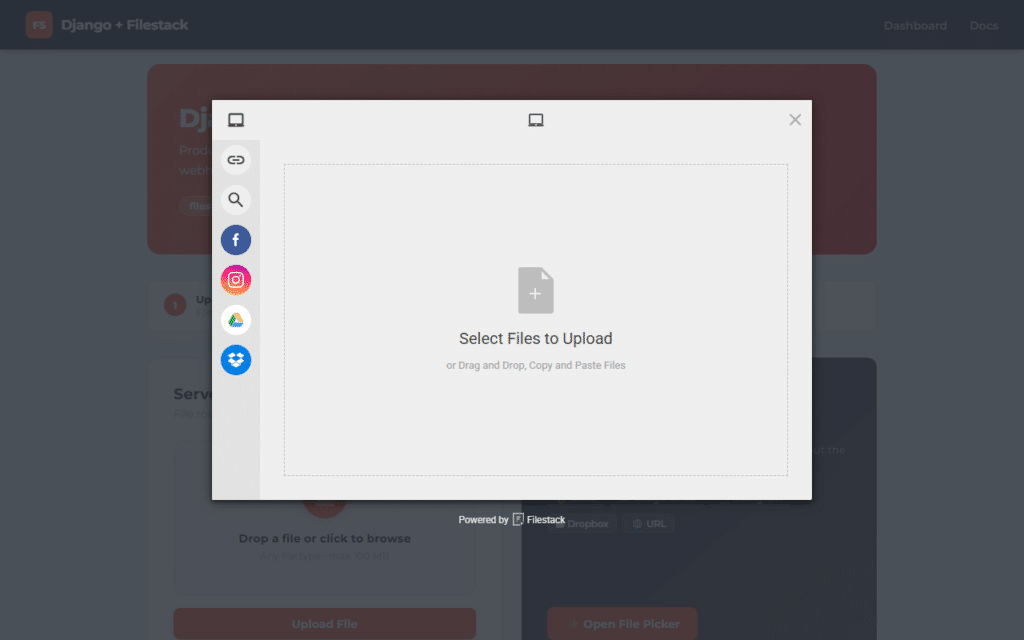
Step 8: Pair with the JavaScript Picker for client-side uploads
The Python SDK is the right tool for server-side work like webhook processing, background jobs, and admin tooling. For end-user uploads from the browser, the Filestack JavaScript Picker is faster because the file never round-trips through your Django server.
The pattern is:
- Frontend uses the JS Picker to upload directly to Filestack
- Picker returns a handle to your frontend
- Frontend POSTs the handle to a Django endpoint
- Django saves the handle to your model and applies any server-side logic
# myapp/views.py

@require_http_methods(["POST"])

@login_required

def register_uploaded_handle(request):

    handle = request.POST.get("handle")

    if not handle:

        return JsonResponse({"error": "handle required"}, status=400)

    # Optionally verify the handle by fetching metadata

    from filestack import Filelink

    filelink = Filelink(handle, apikey=settings.FILESTACK_API_KEY)

    metadata = filelink.metadata(["size", "mimetype", "filename"])

    doc = Document.objects.create(

        owner=request.user,

        filestack_handle=handle,

        filestack_url=filelink.url,

        original_name=metadata.get("filename", ""),

        size_bytes=metadata.get("size", 0),

    )

    return JsonResponse({"id": doc.id})
This keeps large file transfers off your Django app servers and uses the Python SDK where it adds the most value: validation, persistence, and downstream processing.

Putting it all together
You have a complete integration pattern: SDK installed, service wrapper isolating Filestack calls, Django views handling uploads, signed URLs for private files, transformations chained for delivery, an optional storage backend for FileField, and webhook verification for async events. Every snippet uses real methods from filestack-python and runs as written.
Filestack does not need a Django-specific package because the Python SDK works cleanly with Django’s file handling, request objects, and storage abstractions. Build the wrapper once and the rest of your Django app talks to a normal Python module.
Ready to ship file uploads on your Django app? Start with Filestack and grab your API key.


Carl is a Product Marketing Manager at Filestack with four years of hands-on experience in React, JavaScript, Django, and Python. He bridges the gap between product and developer, translating how Filestack’s APIs and SDKs actually work into content that’s useful for the engineers building with them. His writing covers file handling workflows, upload integrations, and real-world implementation patterns, written from the perspective of someone who has built with these tools firsthand.