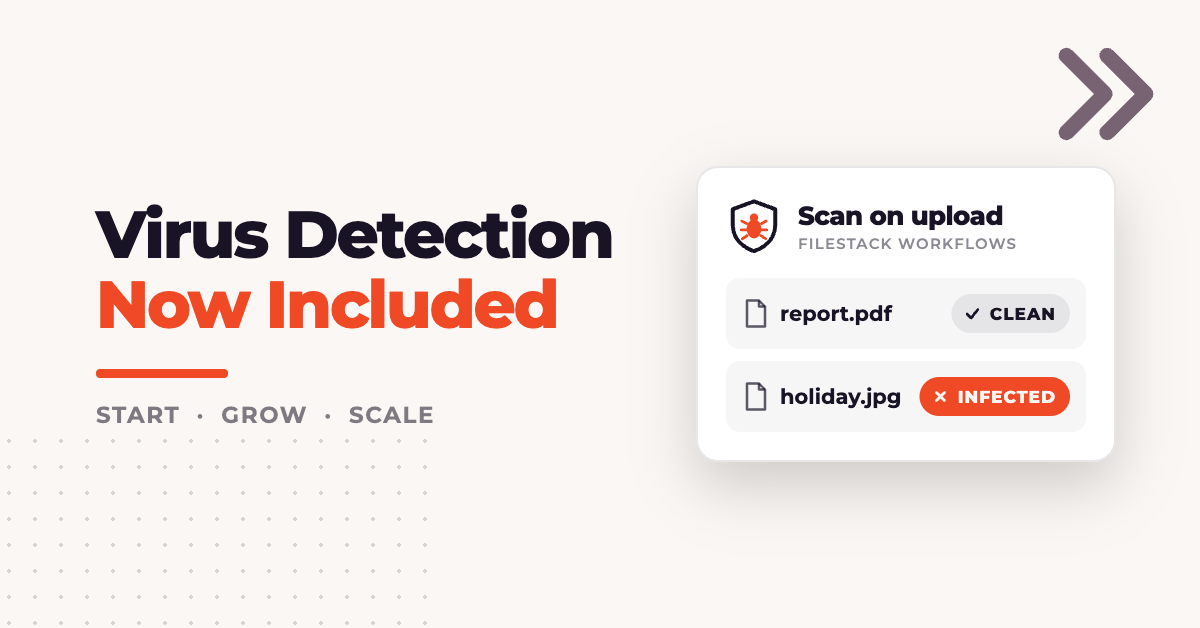
Virus Detection was a $49 a month plugin. We have switched it on for every account on the Start, Grow and Scale plans, with the same 1,000 scans a month and $0.05 a scan above that. Nothing needs enabling in the dashboard.
The scan runs inside a workflow. It reads each file after it lands in storage and reports whether the file carries a virus or other malware, with the name of every detection.

The workflow above scans the file, then stores a copy only when infected is false.
Key takeaways
- Virus Detection is included on Start, Grow and Scale at 1,000 scans a month, and every scan also counts as one workflow execution.
- The
virus_detectiontask runs only inside a workflow, attached to an upload or run on a handle already in storage. - The verdict is an
infectedboolean and aninfections_listof detection names, readable from theworkflow_statusendpoint or thefs.workflowwebhook. - ZIP archives, a ZIP inside a ZIP and files renamed with an image extension are scanned by what they contain.
- The scan leaves the file in storage. Delete infected handles, or let the workflow store a copy only when the file is clean.
How the virus detection API runs
Virus Detection is a workflow task, not a CDN transformation. Put it in a URL the way resize or ocr works, and the processing engine refuses it:
HTTP 400
validation error: task not found: "virus_detection"
A scan starts in one of two ways. The workflow is attached to an upload, so it runs on every new file, or it runs against a handle that is already stored, which covers files uploaded before the scan existed. Both return a job ID, and the verdict is read from that job.
Build a virus scanning workflow
A workflow is created once in the Developer Portal and referenced by its ID from then on.
- Open your application, then Workflows, then Create New.
- Name the workflow, then select the plus button to add a task.
- On the Intelligence tab, choose
virus_detection. - Set Task name to
virus_scanand save the task. - Select Save Workflow and copy the Workflow Id.
The task name is the key the result arrives under, so virus_scan here means the verdict sits at results.virus_scan.data. An auto-generated name such as virus_detection_1789460853424 works too, but every piece of code that reads the result has to carry it.
Start includes one workflow, Grow three and Scale five. On Start, add virus_detection as the first task of the workflow the application already runs, so the other tasks can depend on it.
Scan every file at upload
With application security enabled, the upload policy needs the calls for the workflow as well as for the upload. This policy covers both:
import base64, hashlib, hmac, json, os, time

APP_SECRET = os.environ["FILESTACK_APP_SECRET"]

def sign(calls, handle=None):
    policy = {"call": calls, "expiry": int(time.time()) + 300}
    if handle:
        policy["handle"] = handle
    encoded = base64.urlsafe_b64encode(
        json.dumps(policy, separators=(",", ":")).encode()
    ).decode()
    signature = hmac.new(APP_SECRET.encode(), encoded.encode(), hashlib.sha256).hexdigest()
    return encoded, signature

policy, signature = sign(["pick", "store", "read", "convert", "runWorkflow"])
FILESTACK_APP_SECRET is in the Security section of your application in the Developer Portal. Return policy and signature from an endpoint on your backend, so the secret never reaches the browser. The fields a policy accepts are listed in Filestack security policies.
In the browser, pass the workflow ID in the upload options:
<input type="file" id="upload">
<script src="https://static.filestackapi.com/filestack-js/4.x.x/filestack.min.js"></script>
<script>
  const WORKFLOW_ID = 'YOUR_WORKFLOW_ID';

  document.getElementById('upload').addEventListener('change', async (event) => {
    const { policy, signature } = await fetch('/filestack/policy').then((r) => r.json());
    const client = filestack.init('YOUR_API_KEY', { security: { policy, signature } });

    const file = await client.upload(event.target.files[0], {}, { workflows: [WORKFLOW_ID] });
    const run = file.workflows[WORKFLOW_ID];

    await fetch('/uploads', {
      method: 'POST',
      headers: { 'Content-Type': 'application/json' },
      body: JSON.stringify({ handle: file.handle, jobid: run.jobid, error: run.error }),
    });
  });
</script>
The upload resolves as soon as the file is stored, before the scan finishes. file.workflows holds one entry per workflow, keyed by workflow ID:
{
  "28072b5a-f52a-4959-a3c8-69d79238f2ab": {
    "jobid": "159b7456-fbb8-4581-ad2a-f6da0205e0e4"
  }
}
Save the handle and the job ID together on the upload record, and treat the file as unscanned until the job reports. The picker takes the same workflow ID through storeTo.workflows, and an upload form with virus scanning builds that version from an empty page.
Read the scan result
The workflow_status task returns the job, with its results once it has finished. The URL carries the API key segment, and the policy needs runWorkflow.
https://cdn.filestackcontent.com/YOUR_API_KEY/security=p:POLICY,s:SIGNATURE/workflow_status=job_id:JOB_IDWhile the scan is running, the job has no results yet:
{
  "createdAt": "2026-09-15T08:29:36.970367995Z",
  "jobid": "caac273e-1520-47b4-8da8-9baa27f1510f",
  "sources": ["QxK5bpbQ2O5Ju24Yi2N6"],
  "status": "InProgress",
  "updatedAt": "2026-09-15T08:29:37.061165684Z",
  "workflow": "28072b5a-f52a-4959-a3c8-69d79238f2ab"
}
For a clean text file, the finished job reads:
{
  "createdAt": "2026-09-15T08:28:03.631940783Z",
  "jobid": "99fae8a3-599d-4b75-b956-35ea53d62868",
  "results": {
    "virus_scan": { "data": { "infected": false, "infections_list": [] } }
  },
  "sources": ["9ZXVAF3RVjVFYZdWzRQr"],
  "status": "Finished",
  "ttl": 172800,
  "updatedAt": "2026-09-15T08:28:13.795029135Z",
  "workflow": "28072b5a-f52a-4959-a3c8-69d79238f2ab"
}
For the EICAR test file, infected is true and the list names the detection:
{
  "createdAt": "2026-09-15T08:28:05.602564243Z",
  "jobid": "2dfee6e5-95d2-4e63-85f3-6271205b4370",
  "results": {
    "virus_scan": {
      "data": {
        "infected": true,
        "infections_list": ["content.malicious.eicar-test-signature"]
      }
    }
  },
  "sources": ["az5c9gY9RcOPq0oF4s6A"],
  "status": "Finished",
  "ttl": 172800,
  "updatedAt": "2026-09-15T08:28:15.713346204Z",
  "workflow": "28072b5a-f52a-4959-a3c8-69d79238f2ab"
}
Both jobs finish about ten seconds after createdAt, and a 25 MB file of random bytes finishes in the same ten seconds. ttl is the workflow TTL in seconds, 172800 by default, and the virus detection task reference documents the data fields.

Remove infected files
A scan reports on the file and leaves it in storage, still served from its CDN URL, so the application decides what happens to an infected file. Deleting the handle removes the file from storage and from the CDN.
This script runs the workflow against a stored handle, waits for the verdict, and deletes the file when it is infected. It carries the same sign function as the upload policy, and it also scans files uploaded before the workflow existed. It needs Python 3 and one package:
pip install requestsimport base64, hashlib, hmac, json, os, sys, time
import requests
API_KEY = os.environ["FILESTACK_API_KEY"]
APP_SECRET = os.environ["FILESTACK_APP_SECRET"]
WORKFLOW_ID = os.environ["FILESTACK_WORKFLOW_ID"]
def sign(calls, handle=None):
policy = {"call": calls, "expiry": int(time.time()) + 300}
if handle:
policy["handle"] = handle
encoded = base64.urlsafe_b64encode(
json.dumps(policy, separators=(",", ":")).encode()
).decode()
signature = hmac.new(APP_SECRET.encode(), encoded.encode(), hashlib.sha256).hexdigest()
return encoded, signature
def scan(handle):
p, s = sign(["read", "convert", "store", "runWorkflow"], handle)
run = requests.get(
f"https://cdn.filestackcontent.com/security=p:{p},s:{s}"
f"/run_workflow=id:{WORKFLOW_ID}/{handle}"
)
run.raise_for_status()
jobid = run.json()["jobid"]
p, s = sign(["runWorkflow"])
status_url = (
f"https://cdn.filestackcontent.com/{API_KEY}/security=p:{p},s:{s}"
f"/workflow_status=job_id:{jobid}"
)
for _ in range(30):
time.sleep(2)
job = requests.get(status_url).json()
if job["status"] in ("Finished", "Failed"):
return job
raise TimeoutError(f"job {jobid} still running")
def delete(handle):
p, s = sign(["remove"], handle)
r = requests.delete(
f"https://www.filestackapi.com/api/file/{handle}",
params={"key": API_KEY, "policy": p, "signature": s},
)
r.raise_for_status()
handle = sys.argv[1]
job = scan(handle)
if job["status"] == "Failed":
sys.exit(f"workflow failed: {job['error']}")
verdict = job["results"]["virus_scan"]["data"]
if verdict["infected"]:
delete(handle)
print(f"deleted {handle}: {', '.join(verdict['infections_list'])}")
else:
stored = job["results"].get("store_clean")
copy = f", stored copy {stored['data']['handle']}" if stored else ""
print(f"clean {handle}{copy}")Set FILESTACK_API_KEY, FILESTACK_APP_SECRET and FILESTACK_WORKFLOW_ID, then pass a handle as the only argument. The stored copy in the clean line comes from the store_clean task in the next section, and a workflow with only the scan prints the handle alone. For an uploaded EICAR file and a clean text file, the script prints:
deleted kKFwvTySwCNHqEl9OQLw: content.malicious.eicar-test-signature
clean 9ZXVAF3RVjVFYZdWzRQr, stored copy qGBkCrjfQbSc4vUt4ja3
After the delete, the CDN URL for the infected handle returns 404. The run policy is scoped to the one handle, and the delete policy carries only remove for that handle, so a leaked URL from either call reaches nothing else.
Store only clean files inside the workflow
A task that depends on the scan can run on a condition. That moves the clean or infected decision into the workflow, the low-code virus detection approach, with no branching in your own code. In the editor, add a store task below virus_scan, name it store_clean, and add the condition path infected, condition eq, value false. The figure at the top of this article shows that configuration.
For a clean file, the job then carries a second result with the handle of the stored copy:
{
  "results": {
    "store_clean": {
      "data": {
        "filename": "clean.txt",
        "handle": "FTKGmO1R5qYCfuA4jMr2",
        "size": 45,
        "type": "text/plain",
        "url": "https://cdn.filestackcontent.com/FTKGmO1R5qYCfuA4jMr2"
      }
    },
    "virus_scan": { "data": { "infected": false, "infections_list": [] } }
  },
  "status": "Finished"
}
For the EICAR file, results holds virus_scan and nothing else, because the condition did not match. Serve the store_clean handle rather than the original, so the files users download from your application are the ones that passed the scan. The store task needs the store call in the policy that starts the workflow.
What the scan detects
The scan reads what a file contains, not what it is called or which mimetype it was stored with. Each file below carries the 68 byte EICAR test string, which antivirus engines agree to detect so a scanner can be exercised without real malware. The EICAR test file is published by the European Institute for Computer Antivirus Research.
| File | Stored mimetype | infected | infections_list |
|---|---|---|---|
| clean.txt, plain text | text/plain | false | empty |
| eicar.com | application/x-msdos-program | true | content.malicious.eicar-test-signature |
| eicar.zip, EICAR in a subfolder | application/zip | true | content.malicious.eicar-test-signature |
| nested.zip, eicar.zip inside another ZIP | application/zip | true | content.malicious.eicar-test-signature |
| holiday.jpg, EICAR bytes with an image name | image/jpeg | true | content.malicious.eicar-test-signature |
| 25 MB of random bytes | application/octet-stream | false | empty |
An upload restricted to image types by extension would accept holiday.jpg, and the scan still flags it. The scanner also covers audio, video, HTML and TAR archives, and the full list is on the virus and malware detection API page.
When a virus scan fails
Most failures leave the upload itself successful and put the error on the job, so check the job rather than the upload response.
| Symptom | Cause | Fix |
|---|---|---|
HTTP 400 task not found: "virus_detection" |
The task was used as a CDN transformation | Run it in a workflow |
file.workflows[ID].jobid is empty and error reads call is not allowed: (call: read) |
The upload policy has no read |
Add read to the upload policy |
The job is "status": "Failed" with call is not allowed: (call: convert) |
The policy that started the workflow has no convert |
Add convert |
The job is "status": "Failed" with call is not allowed: (call: store) |
A store task is in the workflow and the policy has no store |
Add store |
file.workflows[ID].error reads the policy was not properly URL-safe base64 encoded |
The policy was encoded without = padding |
Encode with padding |
HTTP 403 security required for tasks: workflow_status |
The status request is unsigned | Sign it with runWorkflow |
| HTTP 404 job not found | No job exists with that ID | Store the job ID from the upload response or the run response |
The padding row applies to backends in Node.js. Python’s base64.urlsafe_b64encode keeps the = padding, and Node’s Buffer.toString('base64url') drops it. In Node, encode with toString('base64') and replace + with - and / with _.
Receive scan results on a webhook
Polling suits a script or a backfill. For uploads in production, a webhook delivers the result without a request loop. Add a webhook of type Workflow in the Developer Portal, and each finished job arrives as a POST with "action": "fs.workflow". The job object sits under text, in the same shape workflow_status returns, so the verdict is at payload["text"]["results"]["virus_scan"]["data"]["infected"] and the handle is payload["text"]["sources"][0].
Webhook requests carry the FS-Signature and FS-Timestamp headers once a webhook secret exists, and the secret is created with its own button next to the webhook in the portal. The webhook signature verification steps show how to check both before the handler deletes or releases a file.
What virus scanning costs
Start, Grow and Scale each include 1,000 scans a month, and scans above that are $0.05 each. Because the task runs inside a workflow, each scan also counts as one workflow execution, which is $0.02 on Start, $0.0175 on Grow and $0.015 on Scale.
One scan per file is the shape to aim for. Attach the workflow at upload for new files, run the script above once over the files already stored, and keep the verdict with the handle so a file is never scanned twice.
If you are on Start, Grow or Scale, virus_detection is in the Intelligence tab of the workflow editor now. Accounts on other plans can move to one of the three from the pricing page.
FAQ
Why does virus_detection return a 400 in my transformation URL?
Because it is a workflow task rather than a CDN transformation. Unlike resize or ocr, it cannot be a path segment. Create a workflow in the Developer Portal and either attach it to the upload or run it against a stored handle.
Does the scan quarantine or block an infected file?
No. It reports on the file and leaves it in storage, still served from its CDN URL. Your application deletes the handle, or the workflow stores a copy only when infected is false and you serve that copy instead.
Can someone get a file past the scan by renaming it?
No. The scan reads what the file contains rather than its name or stored mimetype, so EICAR bytes saved as holiday.jpg are flagged, as is a ZIP inside another ZIP.
How many scans does a file cost?
One scan and one workflow execution, since the task runs inside a workflow. Keep the verdict with the handle so a file is never scanned twice, and attach the workflow at upload rather than re-running it on delivery.


Joshua is a web developer with over 4 years of experience building responsive, high-performance websites and web applications. Currently working as an AI Automation Specialist, he combines modern web development with automation to create efficient, scalable digital solutions. He shares practical insights on WordPress, web development, and emerging technologies.
Read More →