


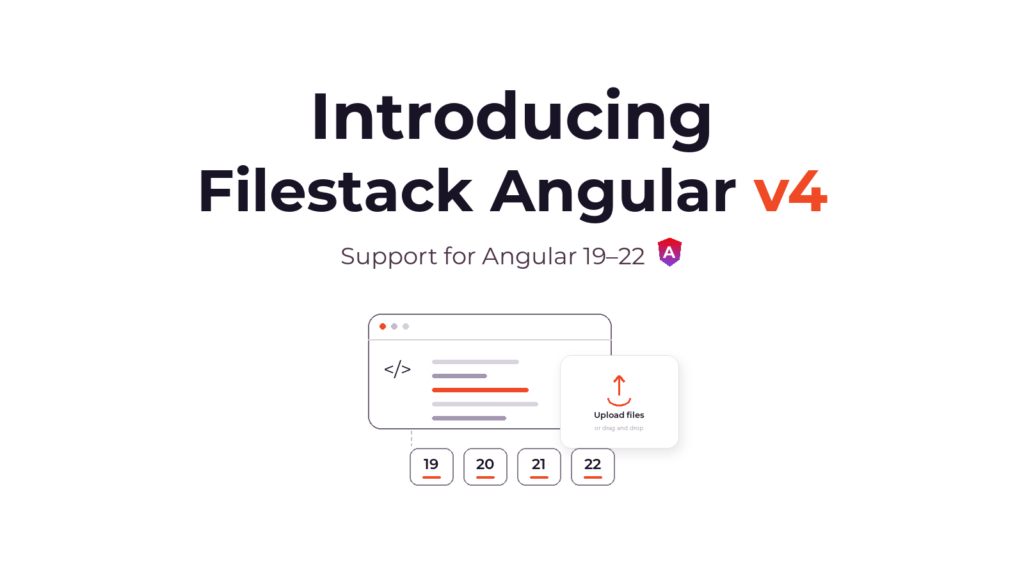
Filestack Angular v4 is out. We published @filestack/angular 4.0.0 and it adds support for Angular 19 through 22, standalone applications, a one-command install, and server rendering that needs no guard around the picker.
v4 is built the way Angular is built now. Standalone bootstrapping, signal inputs, OnPush components and an open peer range, verified against four majors rather than one.
What shipped
Standalone support. provideFilestack() registers the SDK in an ApplicationConfig. The picker components and the transform pipe are standalone, so a component imports the one it uses directly.
One-command setup. ng add @filestack/angular installs both packages and prompts for your API key. It writes the provider into the right file for your app shape, and offers a working picker snippet.
Four Angular majors. 19, 20, 21 and 22, with an open peer range so the next one installs on the day it lands.
filestack-js v4. download(), prefetch(), setSecurity() and setCname() now reach the Angular layer, along with the extended storeURL() parameters.
Chained transformations. A new injectable, FilestackFilelink, builds transformation URLs from a handle without putting your API key in front of it.
Typed upload progress. uploadWithProgress() emits progress ticks as an observable.
Server rendering. Every DOM-dependent path is platform-guarded, and the client loads through a dynamic import.
Maintenance. A new GitHub Actions pipeline lints, builds and tests every change before it publishes. The project tooling moved to ESLint, with a refreshed Storybook and test setup.
Which Angular versions this runs on
| @filestack/angular | Angular | Status |
|---|---|---|
4.x |
19, 20, 21, 22 | Current |
3.x |
18 | Maintenance only |
2.x |
17 and earlier | End of life |
The package manifest states the range:
"peerDependencies": {
  "@angular/common": ">=19.0.0",
  "@angular/core": ">=19.0.0",
  "filestack-js": ">3.0.0"
}
The Angular range has no upper bound, so a new Angular major installs on the day it lands and we verify it from there. Angular ships one every six months.
Angular 21 and 22 got the full check. Clean install, AOT production build, and runtime tests passing, all of it under Angular 22’s zoneless change detection, its Vitest test runner and TypeScript 6. The picker components use ChangeDetectionStrategy.OnPush and signal inputs, so zoneless mode has nothing to trigger and nothing to miss.
The Node version is set by your Angular major, not by the SDK. @filestack/angular publishes no engines field, and Angular moved its floor twice across this range:
- Angular 19 wants Node 20.11.1 or 22 and up
- Angular 20 and 21 want Node 20.19, 22.12 or 24 and up
- Angular 22 wants Node 22.22.3, 24.15 or 26 and up
Standalone apps get a provider function
The SDK works in NgModule-less apps. Register it in app.config.ts with provideFilestack():
// app.config.ts
import { ApplicationConfig } from '@angular/core';
import { provideFilestack } from '@filestack/angular';

export const appConfig: ApplicationConfig = {
  providers: [provideFilestack({ apikey: 'YOUR_API_KEY' })],
};
It returns EnvironmentProviders, so it drops into bootstrapApplication() the same way. The config object’s other key is options, which takes the same ClientOptions as before, and is where a cname or a security policy goes.
The picker components and the transform pipe are standalone. The component that uses one imports it directly, with no module in between:
import { Component } from '@angular/core';
import { PickerOverlayComponent } from '@filestack/angular';

@Component({
  selector: 'app-uploader',
  imports: [PickerOverlayComponent],
  template: `
    <ng-picker-overlay
      (uploadSuccess)="onDone($event)"
      (uploadError)="onFail($event)">
      <button>Upload a file</button>
    </ng-picker-overlay>
  `,
})
export class UploaderComponent {
  onDone(res: any) { console.log(res.filesUploaded); }
  onFail(err: any) { console.error(err); }
}
No apikey input on the component, because the provider already supplied it. Pass one anyway when a specific picker needs a different key or different pickerOptions, and it wins for that instance.
FilestackModule.forRoot() still works, so an NgModule app can take v4 and change nothing in the same commit. It carries a @deprecated tag pointing at provideFilestack() and will come out in a future major.
One command install
ng add does the whole setup:
ng add @filestack/angularIt installs @filestack/angular and filestack-js, prompts for your API key, then writes provideFilestack({ apikey }) into your root providers. It reads the project first and edits app.config.ts or app.module.ts depending on what it finds, so standalone and NgModule apps both come out wired correctly. It also offers to drop a working <ng-picker-overlay> snippet into your root component template.
The schematic writes filestack-js into your package.json as >3.0.0, the same range we declare as a peer. That range resolves to the current 4.x client.
What filestack-js v4 brings up through the wrapper
FilestackService is a thin observable wrapper over the filestack-js client, so a new client version shows up as new methods on the service. v4 of the client adds four that were not reachable before:
private fs = inject(FilestackService);

this.fs.download(handle).subscribe(res => /* the file contents */);
this.fs.setSecurity(policyAndSignature);  // swap credentials at runtime
this.fs.setCname('files.example.com');    // swap the delivery domain at runtime

// ask the API what this key is allowed to do, before you offer the button
this.fs.prefetch({ permissions: ['intelligent_ingestion', 'transforms_ui'] })
  .subscribe(res => this.canTransform = res.permissions?.transforms_ui);
storeURL() grew three parameters with the client: upload tags, request headers, and workflow ids to trigger after the file lands. retrieve() is deprecated in favor of download() for contents and metadata() for details, and still works today.
uploadWithProgress() emits typed progress ticks, so an onProgress callback pushing into your own subject is no longer needed:
this.fs.uploadWithProgress(file).subscribe(e => {
  if (e.status === 'progress') this.percent = e.totalPercent;
  if (e.status === 'complete') this.result = e.file;
});
The client stays a peer dependency at >3.0.0, so filestack-js 3.47.4 or later is supported if you are holding on v3. The four methods above need 4.x, and on npm the latest tag points at the 3.x line, currently 3.51.6. Name the major:
npm install filestack-js@^4ng add writes the >3.0.0 range for the same reason, and that range resolves to 4.x.


Transformations from inside Angular
An upload returns a handle, and everything you do with that handle afterwards is a URL. v4 exposes two ways to build one. FilestackTransformPipe handles the template case:
<img [src]="handle | filestackTransform: { resize: { width: 200 } }" />The new injectable FilestackFilelink handles the chained case in TypeScript. It reads the API key from the active client session, so no credential ends up in a delivery URL:
private filelink = inject(FilestackFilelink);

const url = this.filelink.forHandle(handle).resize({ width: 200 }).toString();
// https://cdn.filestackcontent.com/resize=width:200/HANDLE
Every operation in the processing API is reachable this way. That is the same surface the image editing api covers in depth. Format changes are how you convert to webp without keeping a second copy of the file. Face detection is how you blur faces before an image goes public. Caching rules ride along on the way out through file delivery.
The Angular layer only builds the URL. The processing happens at the CDN, so none of it costs your app a render.
SSR-safe out of the box
v4 makes the browser check itself, so Angular Universal apps need no guard around the picker.
Every DOM-dependent path in the SDK is wrapped in isPlatformBrowser(). The picker components render their container on the server and initialize the picker after hydration. openPicker() and preview() return null on the server rather than throwing. Container ids are generated to be unique across every picker instance on the page, so two pickers in the same component tree, created in the same millisecond, do not collide.
openPicker() loads the client through a dynamic import, so filestack-js lands in its own chunk rather than the initial bundle. An app that opens the picker from a button loads it on the first click.
Before you upgrade
Two, and both are visible at install time.
Angular 19 is the new minimum. On Angular 18, stay on @filestack/angular@3, which is in maintenance and still receives fixes.
filestack-js is a peer dependency now, not a bundled one. ng add installs it for you. A manual install has to name it:
npm install @filestack/angular filestack-js@^4Without it the build fails, or the SDK throws at runtime with a missing module.
Upgrading from 3.x
ng update @angular/core@19 @angular/cli@19   # only if you are below Angular 19
npm install @filestack/angular@4 filestack-js@^4
Existing FilestackModule.forRoot() code keeps working unchanged, so nothing in your templates or components has to change on the day you upgrade. Move to provideFilestack() when you next touch that file.
If I were upgrading an app this week, I would take v4 on its own and leave the provider migration for the next time that file is open. The two are independent, and separating them keeps the diff readable.
The whole dependency chain was upgraded alongside the features. tslib is the only runtime dependency 4.0.0 installs; everything else it needs is a peer you already have.
Get it today
ng add @filestack/angularThe package is on npm and the source, with issues, is on GitHub. The component reference and the full options tables live on the Filestack Angular SDK page.
Wiring uploads into something that is not an Angular app takes you one layer down, to plain javascript file upload. The same handles and the same transformation URLs come out the other end.


Joshua is a web developer with over 4 years of experience building responsive, high-performance websites and web applications. Currently working as an AI Automation Specialist, he combines modern web development with automation to create efficient, scalable digital solutions. He shares practical insights on WordPress, web development, and emerging technologies.