
Extracting data from forms doesn’t have to feel like endless copy-pasting. Yet for many businesses, manual data entry still eats up valuable time, drives up costs, and leaves room for mistakes. Imagine having an automated assistant that can scan invoices, receipts, ID cards, or medical forms — and instantly pull out the details you need with pinpoint accuracy.
That’s exactly what a form recognition SDK does. By combining OCR, AI, and machine learning, these SDKs simplify data extraction so you can process documents faster, cut down errors, and scale effortlessly — no matter the industry.
Key takeaways
- Form recognition SDKs provide prebuilt software libraries and pre-trained models to extract data from various types of forms.
- Form recognition SDKs use OCR, AI, and ML to automatically extract data with high accuracy.
- The benefits of form recognition include reduced costs, time-saving, increased accuracy, and improved efficiency.
- When choosing a form recognition SDK, look for features like data accuracy, ease of integration, supported file formats and languages, and security features.
- Filestack offers a reliable OCR engine that can accurately detect data from various types of forms.

Understanding Form Recognition SDKs
A form recognition SDK provides prebuilt libraries and tools that let developers add form recognition to apps without building it from scratch. These SDKs use Optical Character Recognition (OCR) and pre-trained Machine Learning (ML) models to extract data from forms such as invoices, ID cards, receipts, and applications.
These reliable AI-powered form processing SDKs can detect layouts like headers, tables, and key-value pairs, making field extraction easier. Advanced options also support multiple image and document formats.
Industries like healthcare (digitizing patient records and prescriptions) and education (digitizing books and admission forms) benefit greatly from these SDKs.
How form recognition SDKs work
Form recognition SDKs rely on OCR, machine learning, and AI to automatically extract data from forms with high accuracy. Here’s how these SDKs work:
- The user first uploads a scanned form or digital document.
- The SDK applies preprocessing techniques, such as deskewing and binarization, to the uploaded document. This helps improve data capture accuracy.
- Next, the SDK detects the structure and layout of the form. This includes text fields, checkboxes, tables, and key-value pairs. Advanced SDKs support various types of forms. These include invoices, receipts, purchase orders, medical claim forms, prescriptions, job applications, and more.
- Once relevant data fields and zones are recognized, the SDK extracts structured data using OCR and ML algorithms.
- The SDK provides the extracted data in a structured format. Reliable SDKs support various data formats, such as JSON, XML, and CSV. This allows you to integrate the extracted data into databases, workflows, or reporting tools.
Benefits of using form recognition SDKs to simplify data extraction
Form recognition SDKs offer various benefits, such as increased data extraction accuracy, improved efficiency, and time and cost savings.
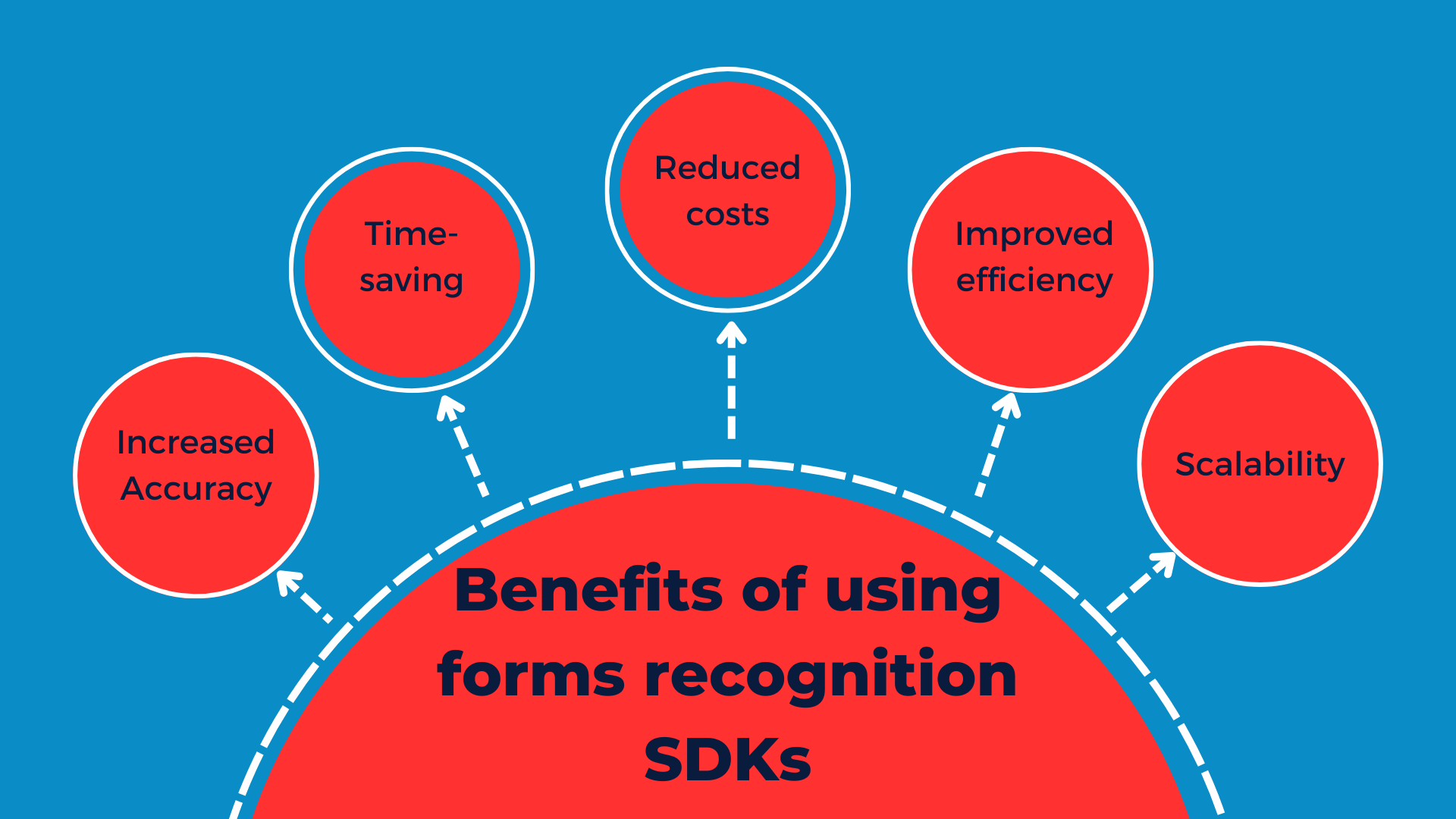
Increased data capture accuracy
Form recognition SDKs automate the data extraction process and eliminate human errors. They use advanced ML algorithms to extract data with high accuracy. These SDKs consistently provide accurate data, even with large volumes of documents or complex layouts.
Time and cost savings
By automating the data extraction process, form recognition SDKs reduce costs and save time. Businesses don’t have to hire large data entry teams to extract data, which reduces labor costs.
Moreover, automation and real-time data extraction save time. Form recognition SDKs also reduce errors, saving time and costs associated with rework.
Improved workflow efficiency
Another key benefit of form recognition SDKs is improved efficiency. These SDKs automate repetitive data extraction tasks and enable quick data extraction.
Scalability
Reliable form recognition SDKs are highly scalable. They are designed for both small-scale operations and enterprise-level requirements. Many data extraction tools and SDKs utilize cloud infrastructure, which allows them to efficiently handle large volumes of documents without affecting performance and data accuracy.
Challenges in form recognition
While form recognition SDKs greatly simplify data extraction, a few challenges remain:
- Handwriting variations – Handwritten forms are often inconsistent, making it harder for OCR and ML models to interpret them accurately.
- Poor quality scans – Low-resolution, wrinkled, or skewed documents can reduce recognition accuracy even with preprocessing.
- Complex layouts – Documents with nested tables, signatures, or mixed languages may require additional training or configuration.
Modern SDKs, however, continue to evolve with better AI models and preprocessing tools to address these issues.
Features to look for in a form recognition SDK
When selecting a form recognition SDK, focus on these essentials:
- Easy integration – Choose an SDK that supports popular programming languages, comes with clear documentation, and fits seamlessly into your workflows.
- Accuracy & error handling – Ensure it reliably extracts both printed and handwritten text, and handles low-quality or blurry documents.
- File format & language support – Look for compatibility with formats like PDF, TIFF, PNG, JPEG, and BMP, plus multilingual support.
- Security & compliance – Opt for SDKs with HTTPS, TLS, end-to-end encryption, access control, and authentication to protect sensitive data.
Getting started: choosing the right SDK for your needs
When selecting a form recognition SDK, consider scalability, supported formats and languages, and integration ease. Also, review pricing to ensure long-term savings from automation outweigh initial costs.
Comparing popular form recognition SDKs
Several vendors offer form recognition SDKs, each with different strengths. Here’s a quick comparison of the most widely used options:
| SDK / Service | Key Features | Strengths | Considerations |
| AWS Textract | OCR + ML-powered extraction of structured data from forms, tables, and documents | Strong AWS ecosystem integration, scalable, accurate for printed text | Pricing can be complex; best suited for teams already on AWS |
| Google Document AI | Pre-trained ML models for invoices, receipts, contracts, and more | High accuracy, multilingual support, integrates well with Google Cloud services | May require technical expertise for setup; GCP-based |
| Microsoft Azure Form Recognizer | OCR + prebuilt & custom ML models for extracting fields, tables, and key-value pairs | Strong Microsoft ecosystem support, customizable with training data | Customization may need more developer input |
| Filestack OCR (with Forms Recognition) | OCR + ML for extracting text and structured data; supports multiple formats and preprocessing | Easy integration via APIs, strong file handling features (upload, transform, deliver), flexible SDKs | Best suited for developers looking for a simple, embeddable solution |
- AWS Textract and Google Document AI are powerful but best for enterprises already within their ecosystems.
- Azure Form Recognizer offers deep customization.
- Filestack stands out for simplicity, easy integration, and combining OCR with file upload/management in one platform.
Accurate data capture with Filestack
Filestack is a leading cloud-based file management platform. It provides various tools and API for file uploads, transformation, and online file delivery. Filestack also offers various other valuable services, such as image tagging, object recognition, and OCR, through its processing API.
Filestack OCR can be used for accurate data extraction from different forms, such as invoices, receipts, tax documents, business cards, and more. Filestack’s OCR uses advanced machine learning algorithms and neural networks. Thus, it extracts data from scanned documents and images with high accuracy.
It also utilizes advanced document detection and pre-processing solutions, which further enhance OCR data accuracy. Filestack OCR can efficiently detect complex, wrinkled, rotated, and folded documents.
Here is Filestack’s complete OCR process:

Implementing form recognition with Filestack OCR: code example
Here is a simple code example for extracting or retrieving data automatically from different documents using Filestack OCR. The code allows us to upload an image or scanned document through the Filestack File Picker. It then extracts text from the uploaded image through Filestack OCR for automated data capture.
1) Basic HTML shell
Sets up a minimal page to host the uploader and the OCR output.
<!DOCTYPE html>
<html lang="en">
<head>
  <meta charset="UTF-8" />
  <meta name="viewport" content="width=device-width, initial-scale=1.0" />
  <title>OCR Data Extraction</title>
  <style>/* your styles */</style>
</head>
<body>
2) UI elements
A button to trigger the picker, plus a hidden container to display OCR text later.
<button id="upload-btn">Upload Image</button>

<div id="ocr-output" style="display:none;">
  <div id="ocr-text"></div>
</div>
3) Load the Filestack SDK
Gives you the filestack global for init/picker.
<script src="https://static.filestackapi.com/filestack-js/3.x.x/filestack.min.js"></script>
4) Provide credentials (client-side placeholders)
API key is fine client-side; policy + signature must be generated server-side and injected/fetched.
const FILESTACK_API_KEY = 'YOUR_API_KEY';
const policy = 'YOUR_POLICY';
const signature = 'YOUR_SIGNATURE';
5) Wait for the DOM to be ready
Ensures elements exist before attaching listeners.
document.addEventListener('DOMContentLoaded', function() {
  // …
});
Clicking the button opens the Filestack picker.
document.getElementById('upload-btn')
  .addEventListener('click', () => filestackFileUpload());
7) Initialize Filestack and open the picker
accept: [‘image/*’] restricts uploads to images. onUploadDone fires with upload results.
function filestackFileUpload() {
  const client = filestack.init(FILESTACK_API_KEY);

  const options = {
    accept: ['image/*'],
    onUploadDone: (result) => {
      console.log('Filestack upload result:', result);
      const fileHandle = result.filesUploaded[0].handle; // unique ID
      performOCR(fileHandle); // kick off OCR
    }
  };

  client.picker(options).open();
}
8) Build the secure OCR URL
This hits Filestack’s CDN with your policy + signature (proof of permission) and the file’s handle.
function performOCR(fileHandle) {
  const ocrUrl =
    `https://cdn.filestackcontent.com/${FILESTACK_API_KEY}/security=p:${policy},s:${signature}/ocr/${fileHandle}`;
9) Call the OCR endpoint
Fetch the OCR JSON, then reveal and populate the output container.
fetch(ocrUrl)
    .then(res => res.json())
    .then(data => {
      console.log('OCR data:', data);
      const ocrText = data.text || '';
      document.getElementById('ocr-output').style.display = 'block';
      document.getElementById('ocr-text').textContent = 'OCR Result:\n' + ocrText;
    })
    .catch(err => console.error('Error performing OCR:', err));
}
10) Close the HTML
</script>
</body>
</html>
How the flow works (at a glance)
- User clicks Upload Image → Filestack picker opens.
- User selects an image → Filestack returns a file handle.
- You build a secure OCR URL with policy + signature.
- fetch() calls Filestack OCR → returns JSON { text: “…” }.
- You show the OCR result on the page.
Common gotchas (and quick fixes)
- Don’t generate policy/signature in the browser. Create a small server endpoint (Node/Python/etc.), return them to the client, then call OCR.
- CORS/HTTPS: Test over https:// or a local server (http-server, vite, etc.).
- Empty results: OCR quality depends on image quality. Consider pre-processing (deskew/contrast) if needed.
- File types: If you want PDFs too, extend accept to [‘image/*’,’application/pdf’].
See the complete example in our GitHub repository.
Explore more in the Filestack documentation.
Remember to insert your actual API key, policy, and signature in the above code.
Sign up for free and get your Filestack API key today.
Output
When you run this invoice automation script in your browser, it will display the following screen:

When you click the ‘Upload Image’ button, the Filestack file picker will appear:

We’ll perform OCR on the following invoice:

Results:

Conclusion
Form recognition SDKs provide pre-built software libraries to integrate form recognition capabilities into apps or workflows. These SDKs automate and simplify data extraction and eliminate manual data entry. They can efficiently extract structured data from various types of forms, making data management quicker and easier.
When choosing a form recognition SDK, consider factors like data accuracy, cost, ease of integration, and security features. Filestack offers accurate data extraction from different forms through its OCR.
Sign up for Filestack today and extract accurate data from forms!
FAQs
What is data extraction, in simple words?
Data extraction means extracting data from various sources. For example, we can extract data/text from various types of forms, such as invoices, tax documents, and job applications.
What are the methods of extracting data?
There are various data extraction methods. These include web scraping, OCR data extraction, document parsing, and API-based data extraction.
What are form recognition SDKs?
Form recognition SDKs provide pre-built software libraries and pre-trained models. These SDKs allow developers and businesses to integrate form recognition capabilities into their apps and workflows.

Shamal is a seasoned Software Consultant, Digital Marketing & SEO Strategist, and educator with extensive hands-on experience in the latest web technologies and development. He is also an accomplished blog orchestrator, author, and editor. Shamal holds an MBA from London Metropolitan University, a Graduate Diploma in IT from the British Computer Society, and a professional certification from the Australian Computer Society.
Read More →